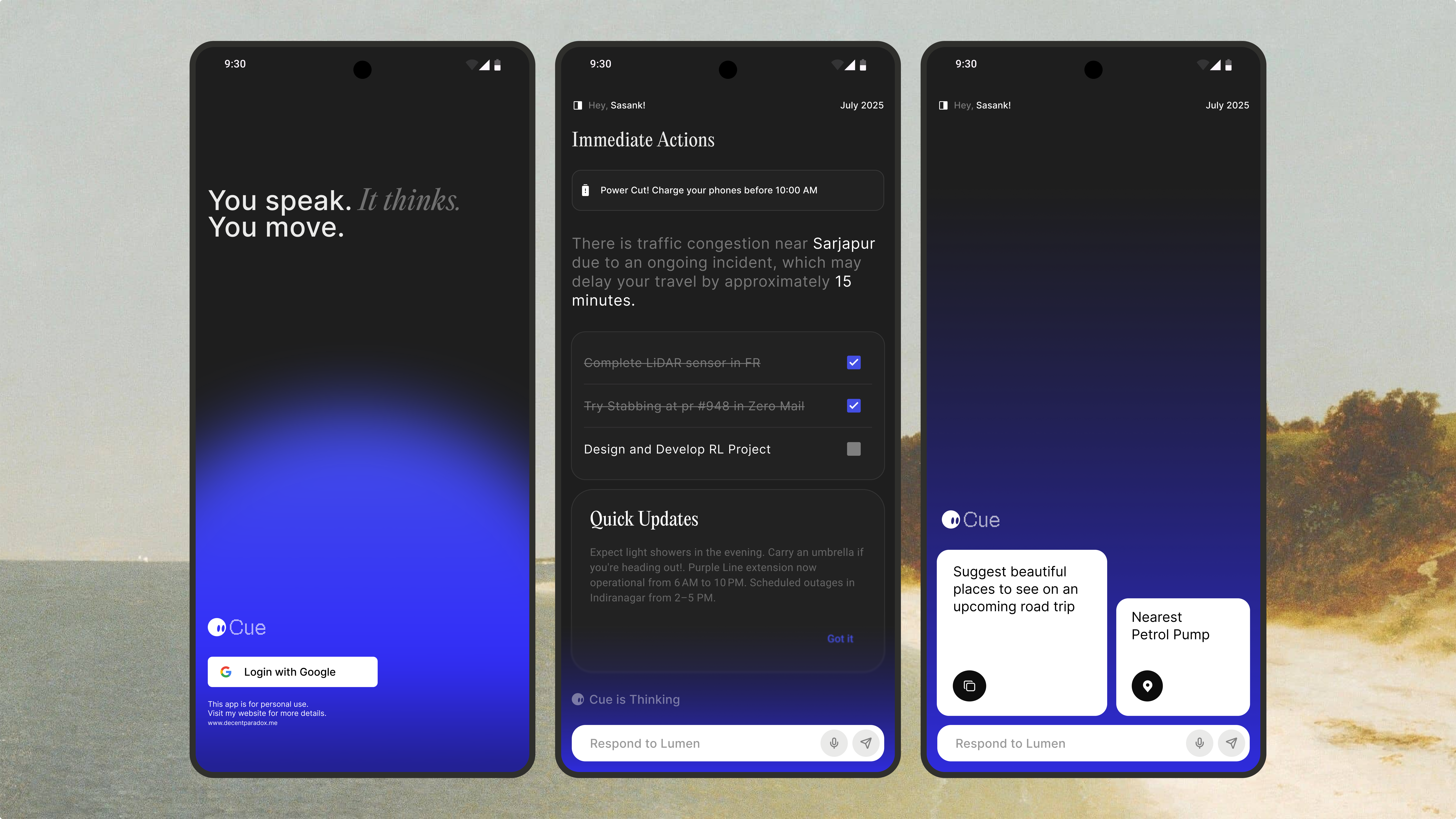
The problem with mobile AI:
I was a daily ZeroClaw user on desktop. It had persistent memory so it
knew my projects, my preferences, my ongoing context. It could use skills
to actually do things — search the web, read files, create calendar events.
Then I'd pick up my phone and every mobile AI app was back to square one.
No memory, no skills, no continuity. It felt like a step backwards. The
problem wasn't that on-device AI was weak — Apple Intelligence on iPhone
15 Pro is actually quite capable. The problem was that no one had built
the infrastructure around it.
The core architectural decision was to keep the ZeroClaw memory file
format exactly as-is. soul.md, memory.md, agents.md — same plain text
format, same paths, just stored in Application Support/cue/memory/
instead of ~/.zeroclaw/. This meant the iOS app would be
compatible with the desktop agent's memory files. You could theoretically
sync them with iCloud Drive and have continuity across both.
I used GRDB.swift for the SQLite layer. It gives you a Swift-native
interface and WAL mode out of the box for concurrent reads, which matters
when the agent loop is running on one thread and the UI is reading memory
on another. All the API keys go into Keychain with
kSecAttrAccessibleWhenUnlockedThisDeviceOnly.
Porting the agent loop to Swift
The ZeroClaw agent loop is written in Node.js with an async event loop
managing tool calls. Swift's actor model is actually a great fit for this —
AgentActor is a Swift actor that handles the entire turn loop serially,
with async/await for the inference calls and AsyncStream for streaming
responses back to the UI.
Tool calling works via structured output: the model generates a
ToolCallEnvelope JSON struct, and CueDispatcher routes
it to the matching skill. The skill executes, returns a result string,
and the loop re-prompts with the result. The hardest part wasn't the
logic — it was getting Apple Foundation Models to produce reliable
structured output for tool calls. Guided generation helped a lot.
The skill system and iOS permissions
iOS has a stricter permission model than desktop, which shaped how the
skill system works. On desktop, ZeroClaw has a shell execution skill.
On iOS, there's no equivalent — the sandbox won't allow it. Instead
Cue uses Apple Shortcuts via AppIntents as the OS automation layer.
The bundled skills cover the things I actually want an assistant to do
on my phone: add calendar events, set reminders, search the web, read
and write files via the document picker, and manage the clipboard.
Each skill is a CueSkill protocol conformance, registered
with SkillRegistry on launch.
Reflection:
Cue has been one of the most satisfying projects I've worked on because
it's solving a problem I actually have. Porting the ZeroClaw runtime to
Swift taught me a lot about how Swift's concurrency model works in practice,
and working with Apple's Foundation Models API gave me a much better sense
of what on-device AI can actually do today.
Swift actors are excellent for agent loops:
The serialized execution model of Swift actors maps almost perfectly
to what you want in an agent loop — one turn at a time, no concurrent
mutations to state, async/await for I/O. The final architecture is
clean in a way that the Node.js version wasn't.
The right language feature for a problem makes the code almost explain itself.
File format compatibility matters more than I expected:
Deciding early to keep the ZeroClaw memory file format exact was
the right call. It unlocked cross-device compatibility for free
and made the iOS app feel like a genuine extension of the desktop
experience rather than a separate product.
Compatibility is a feature — don't break formats without a good reason.
On-device AI is ready for real use:
Apple Foundation Models on iPhone 15 Pro are genuinely capable for
everyday assistant tasks. For most things users actually want —
summarize this, create a reminder, what was I working on — on-device
inference is fast, private, and good enough.
The infrastructure matters more than the model size for most use cases.